That afternoon, Luna stopped responding.
I’d just asked her to wrap up some background tasks. She came back quickly to confirm: data_sync.py was running stably in the background on the iMac, updating the trading panel every minute. Everything looked fine.
Then I added another request — I wanted to expose the site as an internal service through Tailscale, so I could check it from my phone.
“How does that sound?”
No response.
I waited. Still nothing. I started wondering: did it crash?
/status Was the Answer
I reflexively typed a few commands — /help, /status.
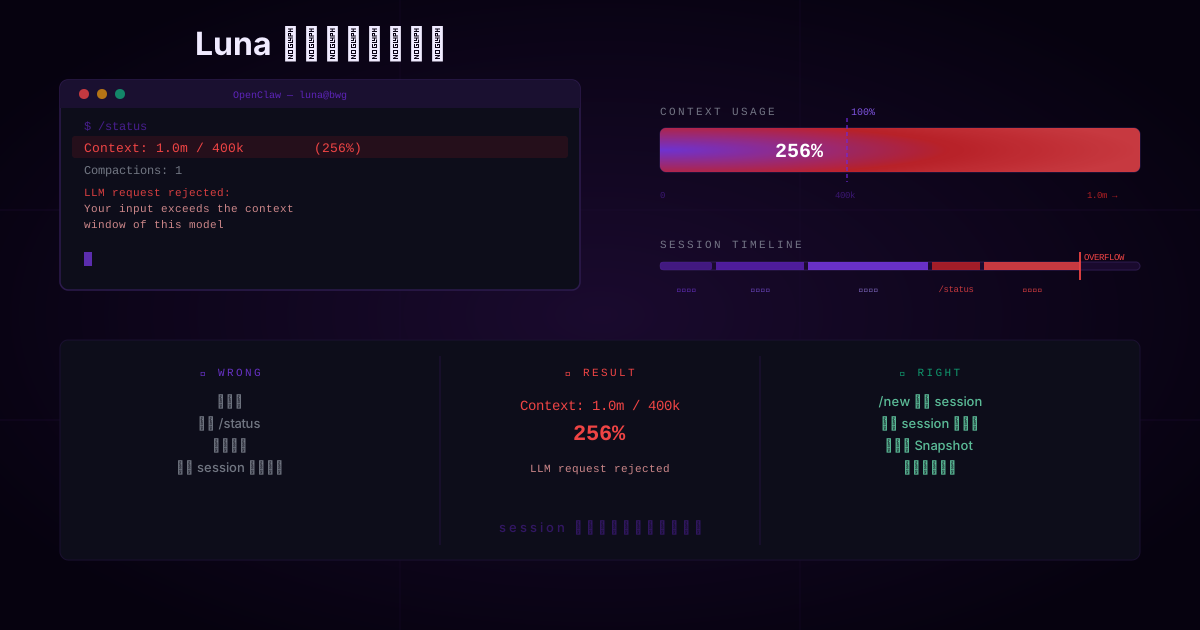
The /status output explained everything:
| |
In plain English: this session had accumulated roughly 1 million tokens, but the model’s limit was 400k. I was at 256% capacity, and the model had flatly rejected my request.
It wasn’t that Luna didn’t see my message. She never even made it to the inference stage.
I Made the Classic Wrong Move
Seeing no response, my first instinct was: maybe it’s the model.
So I switched from gemini-3-flash-preview to openai-codex/gpt-5.2-codex and ran /status again:
| |
Identical. That’s when it clicked: switching models doesn’t clear the session’s context history. The context overflow belongs to the session, not the model. In an already overloaded session, it doesn’t matter who you swap in — the outcome is the same.
The output also showed Compactions: 1 — the system had already tried to compress the context automatically and still couldn’t cope. /compact is a painkiller, not a time machine. At 1 million tokens, compression isn’t going to save you.
How It Got This Way
Looking back at that conversation, I’d done all of this inside one session:
- Confirming background tasks
- Discussing the Tailscale network exposure plan
- Checking usage experience
- Running
/statusand/helpmultiple times - Pasting long log outputs back and forth
None of it seemed like a big deal individually. But context only grows in one direction — there’s no going back.
I’d been treating a single session like an all-purpose inbox. That was the root cause.
The Right Way to Stop the Bleeding
When this happens, the correct sequence is:
/new— start a fresh session/reset— if you want a complete wipe/compact instructions— keep the instruction style, discard the history
Two things to remember: /model can only swap models, it can’t fix context overflow. /status can only diagnose, it can’t repair.
How I Use OpenClaw Now
One session, one task.
I treat sessions like disposable work orders now. One session to handle data_sync status. One session to discuss the Tailscale setup. One session for access control and security. Task done, session over.
Snapshot at every milestone.
Whenever I reach a conclusion, I ask Luna to summarize: current goal, what’s done, key decisions, unresolved issues, next steps. I save the Snapshot — not the full chat history. New session starts with just the Snapshot pasted in. Clean and efficient.
Watch out for “seems harmless” actions.
Repeated /status checks, pasting long logs back and forth, drifting between topics in the same session — these are silent context killers. Writing long documents with Codex is another one.
If I could replay that afternoon: confirm the background tasks and close the session. Open a new one for the Tailscale discussion. Snapshot the decision. Open another for mobile access and security policy.
Cleaner. More controlled.
One thing this experience made clear:
The session is ephemeral. The conclusion is the asset.
As long as you’re treating a session like an infinite conversation log, context overflow is only a matter of time. Learn to close sessions. Learn to save Snapshots. That’s how OpenClaw becomes a tool you can actually rely on long-term.
— Jerry, Founder, CoDevAI